
Introduction: Unlocking the Hidden Engineering in Everyday Technology
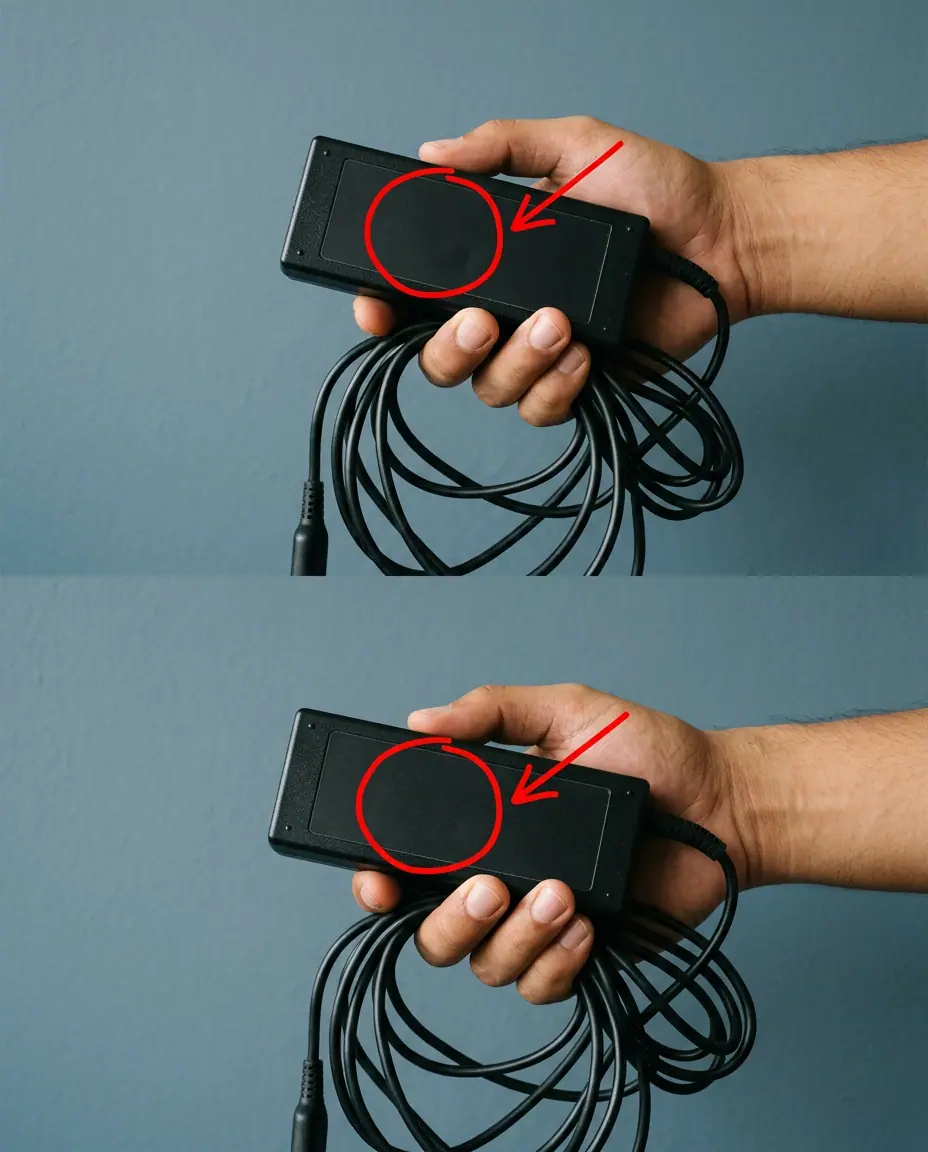
Every day, millions of people plug in their laptops, smartphones, and electronic devices without giving a second thought to the hardware powering them. We notice the sleek design of our computers, the length of the cords, and the compact size of the power adapters. Yet, if you look closely at almost any laptop charger cable—or examine the visual demonstration in the image accompanying this article—you will notice a strange, bulky cylinder molded near one end of the cord. For years, this mysterious lump has puzzled users, sparking countless myths and curious questions. Is it a hidden storage compartment, a tracking device, or something else entirely?
The reality behind this ubiquitous feature is a fascinating blend of physics, engineering, and electrical design. Far from being a random manufacturing choice, that small cylinder plays a vital role in protecting your expensive electronics, ensuring stable performance, and maintaining compliance with strict global standards. In a modern world heavily reliant on technology, understanding how our devices work beneath the surface can prevent hardware failures and save us from unexpected repair costs.
This comprehensive guide will dive deep into the engineering marvel of the ferrite bead, explore how electronic interference affects our daily digital lives, and explain why this small component is crucial for your computer’s health and longevity.
The Mystery Solved: What Is That Cylinder?
That mysterious lump on your charging cable is formally known as a ferrite bead (or ferrite choke, core, or block). It is a passive electronic component made of semi-magnetic iron oxide (ferrite) encased in plastic. If you were to crack open that plastic casing, you would find a solid ring or cylinder of ceramic material wrapped around the wire.
How Electromagnetic Interference (EMI) Works
To understand why the ferrite bead exists, you must understand the invisible enemy it fights: Electromagnetic Interference (EMI) and Radio Frequency Interference (RFI).
- The Problem: Inside your laptop’s power adapter, alternating current (AC) is converted into direct current (DC) at high frequencies. This rapid switching generates high-frequency electrical noise.
- The Antenna Effect: Long electrical cords act like miniature antennas. Without protection, they can radiate this high-frequency noise outward, interfering with nearby electronics like Wi-Fi routers, television signals, or audio equipment. Conversely, external radio waves can travel down the cord and disrupt the clean power supply entering your laptop.
- The Solution: The ferrite bead acts as an impedance filter. It creates a high-frequency resistance for currents traveling along the cable, effectively absorbing unwanted electronic noise and converting it into harmless thermal energy before it can disrupt your computer’s sensitive internal components.
Why This Engineering Marvel Matters for Your Investment
Your laptop is a significant financial investment, whether you use it for remote work, running a small business, or advancing your education. Protecting that asset requires a clear understanding of power stability.
Preventing System Crashes and Data Loss
Unfiltered electrical noise can cause subtle data corruption, unexpected system reboots, and erratic behavior in sensitive microprocessors. By suppressing high-frequency interference, the ferrite bead ensures that a clean, stable stream of power reaches your laptop’s motherboard. This stability reduces wear and tear on internal components, extending the lifespan of your device and lowering the risk of costly hardware replacements or legal services disputes over faulty warranties.
Regulatory Compliance and Safety
Governments and international regulatory bodies enforce strict limits on the amount of electromagnetic radiation electronic devices can emit. Before a laptop charger can be legally sold, it must pass rigorous testing. The inclusion of a ferrite bead is often the deciding factor that allows manufacturers to comply with safety and emission standards, protecting both consumers and the broader technology infrastructure.
Practical Tips for Managing Your Laptop Cords
While ferrite beads are durable, the cables surrounding them require proper care to ensure optimal performance. Here are some practical tips to protect your charging accessories:
- Avoid Sharp Bends: Do not wrap your charging cable too tightly around the ferrite bead or bend the cord at a sharp 90-degree angle right where it enters the cylinder. This can stress the internal copper wires and cause the cable to fray.
- Keep It Untangled: Allow the cord to coil naturally. Yanking or pulling on the cable to disconnect it can loosen the internal connections around the ferrite core.
- Inspect for Damage: If the plastic casing around the ferrite bead cracks or breaks open, exposing the ceramic core, the bead may lose its structural integrity and structural protection.
Interesting Facts and Historical Context
- The Origins of Ferrite: Ferrite materials were developed in the early 20th century, but their widespread use in electronics skyrocketed during the digital revolution of the 1970s and 1980s as computers became common household items.
- NASA Connections: Specialized variants of magnetic chokes and shielding components have long been critical in aerospace technology, ensuring that radio communications on spacecraft are not drowned out by onboard electrical systems.
- The Name Origin: “Ferrite” comes from the Latin word ferrum, meaning iron, highlighting the core mineral composition that gives these components their unique magnetic properties.
Conclusion: Appreciating the Small Details
The mystery of the cylinder on your laptop charger cable reveals how much complex engineering goes into the everyday items we take for granted. Far from being a random design flaw or an empty plastic lump, the ferrite bead is a silent guardian protecting your digital life from invisible electrical interference.
By understanding these small details, you gain a deeper appreciation for modern technology and learn how to better care for your valuable electronic assets. Whether you are balancing a home budget, managing a busy office, or studying for school, keeping your equipment running smoothly ensures you stay connected and productive without unexpected interruptions.
FAQ Section
Q: Can I cut or remove the cylinder from my laptop charger if it gets in the way?
A: No, you should never remove or cut open the ferrite bead. Doing so will eliminate the cable’s ability to suppress electromagnetic interference, which can cause erratic computer behavior, screen flickering, or interference with your home Wi-Fi network.
Q: Does every laptop charger require a ferrite bead?
A: Not every single charger has an external, visible cylinder. Some modern power adapters integrate similar filtering components directly onto the internal circuit board inside the plastic charging brick, meaning an external bead is unnecessary for that specific design.
Q: Will a broken plastic casing on the ferrite bead ruin my charger?
A: If only the outer plastic shell is cracked and the internal ceramic ring remains intact and securely positioned, the cable will generally continue to function. However, if the ceramic core shatters or falls off, the filtering effect is lost, and you should consider replacing the charger to protect your device.
Q: Can a ferrite bead protect my laptop from power surges like lightning strikes?
A: No. Ferrite beads are designed exclusively to suppress high-frequency electromagnetic noise (radio frequencies and switching transients). They offer zero protection against major power surges, lightning strikes, or sudden voltage spikes; for that, you need a dedicated surge protector.
Q: Why do some cables have a ferrite bead near both ends while others have only one?
A: The placement of the bead depends on where the electrical noise is generated and where it is most likely to cause disruption. Manufacturers place them near one or both ends based on laboratory testing to ensure the device meets strict electromagnetic emission standards.
