
Television entertainment has evolved dramatically over the decades. From the early days of analog broadcasting to modern high-definition cable networks, streaming services, and satellite dishes, viewers have more choices than ever before. However, rising monthly cable bills and streaming subscription costs have left many households looking for alternative ways to access free local broadcasts and expand their channel lineup without breaking the bank.
One clever internet trick gaining popularity involves using inexpensive hardware like coaxial splitters and antennas to optimize television signals.
In this comprehensive guide, we will explore how TV signal splitting works, how to access numerous free broadcast channels, practical tips for setting up your home entertainment hardware, and ways to protect your personal finances.
Understanding TV Signal Distribution and Coaxial Splitters
To understand how hardware tricks work, it helps to examine how television signals travel into your home. Traditional broadcast television relies on radio frequency (RF) signals transmitted through the air or delivered via cable lines.
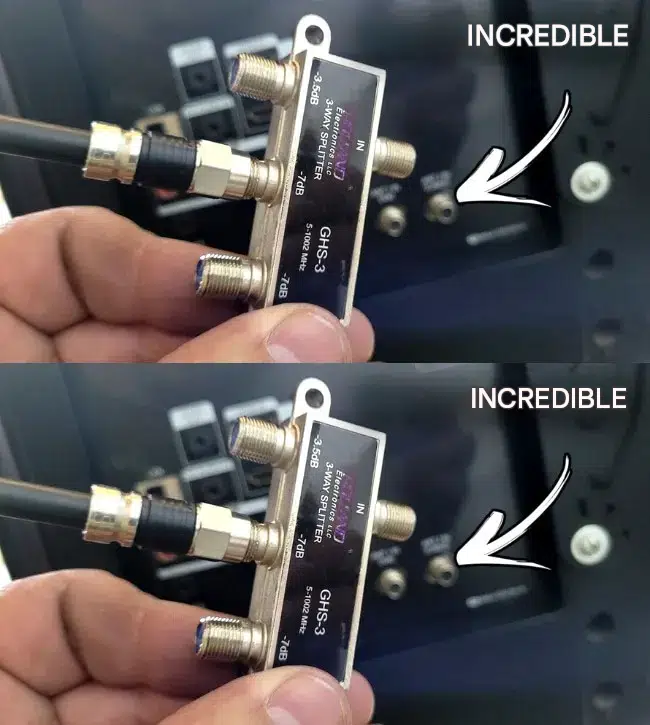
A coaxial splitter is a small electronic device designed to take a single incoming television or cable signal and divide it into multiple output signals, allowing you to feed multiple TVs or tuners from one source. While splitters are primarily used to share a single connection across different rooms, creative home setups sometimes use them to manage antenna arrays.
10 Ways to Optimize Your Television Viewing and Save Money
1. Using Coaxial Splitters Correctly
A standard multi-way coaxial splitter divides incoming signals, but keep in mind that splitting a signal reduces its strength on each output port unless an amplifier is used.
2. Installing Digital TV Antennas
Pairing a digital HD antenna with your television allows you to access dozens of local broadcast channels in crystal-clear high definition completely free of monthly fees.
3. Scanning for Channels Regularly
Run a digital channel scan on your television whenever you reposition your antenna to capture newly available local broadcasts.
4. Positioning Antennas Near Windows
Place your indoor antenna high up on a wall or near a window facing broadcast towers to maximize signal reception and minimize interference.
5. Checking Cable Connections
Ensure all coaxial cables and screw-on connectors are tightly fastened to prevent signal degradation, static, or missing channels.
6. Using Signal Amplifiers
If you split a TV signal across multiple rooms, adding a low-noise signal booster or amplifier compensates for split-loss and keeps picture quality sharp.
7. Reviewing Household Entertainment Budgets
Cutting out expensive cable packages and switching to free over-the-air broadcasts saves hundreds of dollars annually on utility and entertainment bills.
8. Upgrading Hardware Quality
Investing in high-shielded, gold-plated coaxial cables prevents electromagnetic interference from household appliances and Wi-Fi routers.
9. Exploring Streaming Alternatives
Combining free broadcast channels with free ad-supported streaming television (FAST) apps provides an extensive variety of entertainment options.
10. Financial and Household Asset Management
Optimizing home electronics safely prevents equipment damage and ensures long-lasting entertainment reliability.
Comparison: Traditional Cable Packages vs. Over-the-Air Antenna Setups
To help evaluate your home entertainment options, review the following comparison table:
| Entertainment Method | Monthly Cost | Channel Availability | Hardware Requirements |
| Traditional Cable / Pay-TV | High ongoing monthly fees. | Hundreds of bundled channels. | Cable box, proprietary remote, and service contract. |
| Digital Antenna & Splitter Setup | Zero monthly subscription cost. | Dozens of crystal-clear local broadcast channels. | HD antenna, coaxial cables, and optional splitter/amplifier. |
       ┌────────────────────────────────────────────────────────┘
       │         Connecting Incoming Signal to Coaxial Splitter │
       └───────────────────────────┬────────────────────────────┘
                                   │
                                   ▼
       ┌────────────────────────────────────────────────────────┘
       │     Distributing TV Feeds Across Multiple Tuners/Rooms │
       └───────────────────────────┬────────────────────────────┘
                                   │
                    ┌──────────────┴──────────────┐
                    ▼                             ▼
       ┌────────────────────────┐    ┌────────────────────────┐
       │ Maximizing Free HD     │    │ Cutting Cable Costs &  │
       │ Broadcast Channels     │    │ Saving Money Annually  │
       └────────────────────────┘    └────────────────────────┘
Practical Tips for Improving TV Reception
Getting the best possible picture quality from your broadcast setup requires a few simple adjustments:
- Avoid Obstructions: Keep antennas away from large metal appliances, thick concrete walls, and electronic equipment that can block radio frequencies.
- Experiment with Orientation: Try mounting your antenna horizontally or vertically to see which position pulls in the strongest signal strength.
- Inspect Splitter Signal Loss: Be aware that a standard 3-way splitter naturally reduces signal strength on its ports (-3.5dB to -7dB), so use amplifiers if your picture pixelates.
Financial, Insurance, and Legal Considerations
Optimizing home electronics also involves practical financial awareness:
- Lowering Monthly Expenses: Slashing expensive cable bills frees up extra cash for household savings and budgeting goals.
- Safety Standards: Ensure all electronic splitters and power adapters meet safety certifications to prevent electrical shorts or interference.
- Legal Compliance: Over-the-air television broadcasts are legally free and public property; utilizing antennas and splitters for personal home viewing is entirely legal.
Fascinating Facts About Television Broadcasting
- The Transition to Digital: In 2009, countries like the United States transitioned fully from analog to digital television broadcasting, vastly improving picture and sound quality while freeing up radio spectrum.
- Coaxial Cable History: Coaxial cables were patented in 1880 and originally used for telegraph and telephone lines before becoming the backbone of cable television networks.
- Free High-Definition: Over-the-air broadcast signals actually offer higher uncompressed bitrates than many compressed cable or satellite feeds, resulting in superior picture quality.
Frequently Asked Questions (FAQ)
Does a coaxial splitter give me free cable channels?
No. A coaxial splitter simply divides an existing signal into multiple lines. It does not magically create paid cable channels out of thin air, but it can help distribute a digital antenna or cable feed to multiple TVs.
Why is my TV picture pixelating after using a splitter?
Splitting a coaxial signal divides its power, which can weaken the signal strength reaching your television tuner. Adding a signal amplifier before the splitter usually fixes pixelation issues.
Can I watch local TV channels for free?
Yes! By connecting a digital HD antenna to your television, you can receive major local broadcast networks (such as news, sports, and sitcoms) in high definition with zero monthly subscription fees.
Conclusion: Enjoy Free Entertainment and Cut Cable Costs
Finding smart ways to enjoy television without paying exorbitant monthly fees is easier than you think. By utilizing digital antennas, understanding coaxial splitters, and optimizing your home hardware setup, you can access numerous channels in stunning high definition while keeping your hard-earned money in your pocket!
